















Enterprise Agentic AI Platform

The Enterprise
AI Agent Factory

Build, orchestrate, validate, and deploy AI agents across software engineering, enterprise workflows, and business operations.

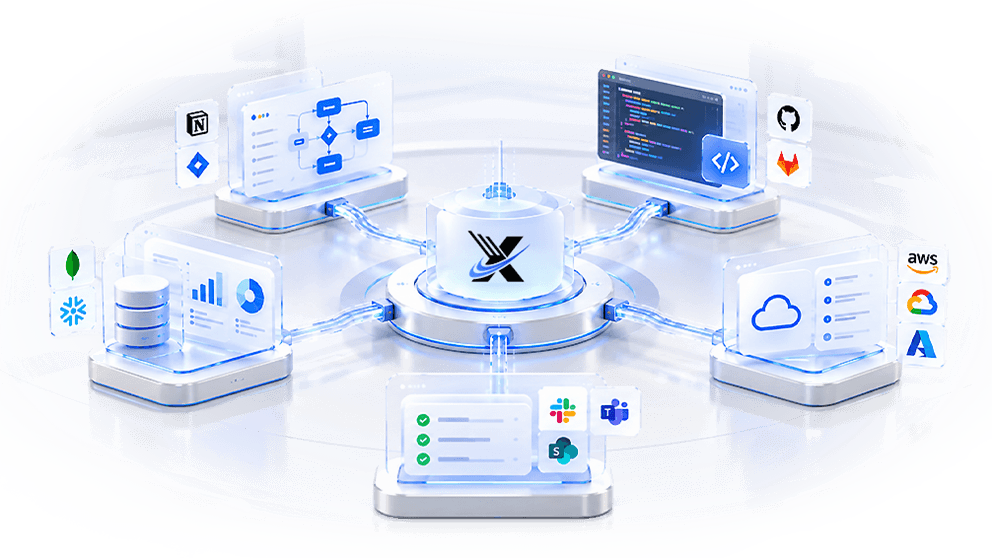
AI Agent Factory: documents, databases, APIs, web data and enterprise tools flow through the factory into automation, insights, workflows and business outcomes

Built for Enterprise AI Transformation

Our Approach

The Intelligence Behind
the Xccelera Platform

Configure agents, workflows, integrations, and execution logic around your business processes, technology environment, and operational requirements.

DefineChoose your tech stack, configure your AI model, and describe your business logic. Xccelera AI turns your inputs into the foundation of your application.

Connected
NEW PROJECT BUILDER
1Project Basics2API & Infrastructure
Project DetailsNew ProjectExisting Project
PROJECT NAME*
Support Ticket Routing API
HOW DO YOU WANT TO DEFINE YOUR API?
✎ Write Business Logic▤ Upload Document
BUSINESS LOGIC*
When a customer submits a support ticket, classify its urgency, assign it to the right team, and notify them within 2 minutes. Admins can view SLA reports.
DESIGN TOOL (OPTIONAL)
● Figma● Zeplinfigma.com/file/ABC123/support-inbox
SELECT LANGUAGE*
Python · FastAPINode.jsJavaGo
Model ConfigurationPick a provider, add its key, then choose a model×
1 · PROVIDER
OpenAIKEY SAVEDAnthropicACTIVEOpenRouterNOT SET UP
2 · ANTHROPIC API KEY
Key on file ••••••••…OwAAReplace key
3 · SELECT MODEL
claude-sonnet-5-5Function calling · 1M ctx
claude-opus-5-5Function calling · reasoning
claude-haiku-4-5Function calling · fast
Selected: claude-sonnet-5-5 · already active
Remove keyCancelActive
Choosing a model
OUTPUTProject foundation
Connected
Your Business PlanFrom Define
YOUR INPUT

“When a customer submits a support ticket, classify its urgency, assign it to the right team, and notify them within 2 minutes. Admins can view SLA reports.”

UNDERSTOOD AS
TicketCustomerTeamUrgencySLA
Notify assigned team ≤ 2 min
SLA reports · admin only
Modules 4▾
Ticket IntakeClassifierRoutingNotifications
User Roles 3Admin · Agent · Customer
API Endpoints 8▾
POST/ticketsCreate ticket
GET/tickets/{id}Ticket detail
PATCH/tickets/{id}/assignRoute to team
GET/reports/slaSLA report · admin
Acceptance Criteria 24▸
Edit planApprove Plan
Enhancing your business logicTurning a requirement into a build plan×
Extracted modules4 found
Defined user roles3 roles
Mapped API endpoints8 routes
Designed data modelsTicket · Team · SLA
Writing acceptance criteria24 / 24
Approving
Project foundationOUTPUTApproved build plan
Connected
Code Preview33 filesGenerating code99%
EXPLORER
app
core
auth.py
security.py
routers
tickets.py
teams.py
reports.py
services
classifier.py
notifier.py
models.py
schemas.py
tests
test_tickets.py
app / routers / tickets.py 4.1 KBCopy
1# Classify, route and notify incoming support tickets.
2from fastapi import APIRouter, Depends, HTTPException
3from app.services.classifier import classify_urgency
4from app.services.notifier import notify_team
5 
6router = APIRouter(prefix="/tickets", tags=["tickets"])
7 
8@router.post("", status_code=201)
9async def create_ticket(payload: TicketCreate, db=Depends(get_db)):
10 urgency = await classify_urgency(payload.body)
11 team = await route_to_team(db, urgency, payload.product)
12 ticket = Ticket(**payload.model_dump(), urgency=urgency, team_id=team.id)
13 db.add(ticket); await db.commit()
14 await notify_team(team, ticket, within_seconds=120)
15 return ticket
16 
17@router.patch("/{ticket_id}/assign")
18async def reassign(ticket_id: int, team_id: int, db=Depends(get_db)):
19 ticket = await db.get(Ticket, ticket_id)
20 if not ticket: raise HTTPException(404, "Ticket not found")
21 ticket.team_id = team_id; await db.commit()
22 return ticket
Review Your ConfigurationPlease review before generating your API
Project Details
PROJECT NAMEsupport-ticket-api
VERSION0.1.0
DESCRIPTIONClassify ticket urgency, route to the right team and notify within 2 minutes
LANGUAGEPython · FastAPI
Configuration
AUTHENTICATIONAuto
DATABASEAuto
API PREFIXAuto
PAGINATIONCursor
TESTINGCurl
Infrastructure
DockerfileEnabled
CancelGenerate Project
Generate
Approved build planOUTPUTWorking application
Connected
VerificationWorking applicationVerifying…6/6 verified
Business plan
24/24 acceptance criteria covered
ModulesRolesAPI endpoints
Generated code
33 files · 24/24 tests passed
LintTestsSecurity scan
Architecture
Modules, data models and API contracts match the plan
Data modelsContracts
Configuration
Auth, database, pagination and Docker validated
AuthDatabaseDocker
Tech stack
Python · FastAPI · PostgreSQL, versions pinned
DependenciesLicences
Tools & integrations
Model access, connectors and secrets checked
ModelsConnectorsSecrets
Verified
6 / 6
All checks passedVerified against your business plan×
6/6
Plan coverage24/24
Tests passed24/24
Security scanClean
PlanCodeArchitectureConfigurationTech stackTools
6 of 6 checks passedRun #4821 · 09:42:47
Working applicationOUTPUTVerified build
Connected
Multi-Cloud DeployVerified build
AWSGoogle CloudAzureVirtual VMSandbox Deploy
PlanApproved
Generate33 files
Verify24/24 passed
DeployIn progressSuccess
https://support-ticket-api.acme.appOpen App ↗
▸ Connecting frontend, backend and services
▸ Virtual VM provisioned isolated runtime · 2 vCPU
▸ Sandbox deploy ready preview link issued
▸ Image pushed gcr.io/acme/support-ticket-api:0.1.0
▸ Health check 200 OK /health
▸ Routing traffic 100% → revision 0001
▸ Env vars synced DATABASE_URL · REDIS_URL · SMTP_*
▸ OpenAPI docs published /docs
✓ Live in 1m 25s · 0 errors
🔒 support-ticket-api.acme.app
Support InboxLive
128Open1m 42sAvg. notify99.2%SLA met
HIGHPayment failed at checkoutBilling
MEDCannot reset passwordIdentity
LOWFeature request: dark modeProduct
Open App
Verified buildOUTPUTLive app for your users
Xccelera · Agent Infrastructure

One Harness.
Every Agent Aligned.

AGENT STACKINFRASTRUCTUREAPI · WORKERS · VECTOR DBJUDGE & REPAIRSCORE < PASS → REPAIR PASSMEMORYFACT · DECISION · OUTCOME · INSIGHTHARNESSREQUESTTHINKACTOBSERVERECALLWRITE-BACKREPAIRLOGGEDPRODSTAGINGALWAYS ON · SESSION TO SESSIONPlain-language request,think → act → observeRecalls past fixesbefore the first actionEvery result graded,weak ones auto-repairedAlways-on services,prod + staging in parallel

Step One

Say What You Need. Walk Away.

No polling a script, no babysitting a terminal. Describe the task in plain language and the Harness takes it from there - working it step by step, checking its own output, and only pinging you back when it truly needs your call.

Intakeaccepted · queued · dispatched to a worker
Loopthink → act → observe, repeated per step
Actionswrite code · run it · read the result
Any requestfrontend · backend
integration · conversion

Step Two

It Never Starts From Zero.

Generic agents relearn your codebase every single session. Ours don't have to - Memory gives every agent instant recall of what it already knows about you: past fixes, decisions, and dead ends, pulled in before it takes a single action.

Memory typesfact · action · decision · outcome · plan · insight
EmbeddingsOpenAI text-embedding-3-small, 1024-dim
Recallvector similarity search + keyword search
10,000+ memoriesand growing, across
Xccelera's agent fleet

Step Three

It Catches Its Own Mistakes.

Every result is graded before it ships - no exceptions. A weak score kicks off an automatic repair pass instead of landing on someone's desk, and what that pass learns gets written back into Memory, so the same mistake doesn't happen twice, anywhere in the fleet.

Producescode, fixes, and integrations across the stack
Judgesautomated scoring before a result ships
Repairsfailed passes trigger a logged fix attempt
Full traceabilityevery attempt recorded,
nothing off the record

Step Four

Built to Run, Not to Demo.

This isn't a notebook or a one-off script - it's real infrastructure, on around the clock. The Harness and Memory run as always-on services with production and staging side by side, so we ship improvements without ever touching what your team depends on.

HarnessAPI + background workers, queued tasks
Memorycore API + storage API + vector database
Environmentsproduction and staging run in parallel
Built to persistmemory outlives
any single session
The Orchestration Layer

Not Just Connected,
Engineered to Orchestrate

Connect AI agents with enterprise applications, APIs, tools, and data sources so workflows execute across the systems your business already uses.

Specialized agents
Planner AgentNO VM
Builder AgentMICROVM
Chat AgentMICROVM
Verifier AgentCHECKS
Agent harness
SKILLS
MODEL SWITCHING
KNOWLEDGE GRAPH
CHECKPOINT
TOKEN MANAGEMENT

Requests
NEW QUERYAPPROVECHAT EDIT
COORDINATEFASTAPI · REDIS
Celery workers · run in parallel
Plan projectNO VM
Generate codeMICROVM
Chat editMICROVM
OUTCOMESPLAN · CODE

Reusable integration capabilities
AI AGENTSCONNECTORS
Object StorageGCS BUCKET · PERSISTENT
Live StatusREDIS BROKER · SSE
Deploy RunnerPREVIEW URL · DNS TUNNEL
SchedulerCELERY BEAT · EVERY 5 MIN
Connected systems

100+ Enterprise Integrations

Connect Every System.
Automate Everything.

From legacy enterprise platforms to modern cloud-native tools - Xccelera AI plugs into your stack on day one, no custom middleware required.

Docker
Kubernetes
PostgreSQL
Anthropic
Google Drive
Dropbox
Zapier
Redis
Terraform
Sentry
Miro
Gmail
Azure
AWS
Salesforce
Atlassian
Databricks
Google Cloud
Zoom
Figma
Slack
Zendesk
Airtable
Kafka
GitHub
Snowflake
Oracle
OpenAI
Confluence
Twilio
HubSpot
Asana
Datadog
ServiceNow
Workday
GitLab
Okta
Shopify
Notion
Trello
PagerDuty
Jira
SAP
Linear
Intercom
MongoDB
Stripe
Box
Xccelera · Vulnerability & Observability

Every Agent Watched.
Every Action Proven.

A dedicated Monitoring & Evidence Agent watches every agent in your fleet and records the proof behind every action, while full observability shows your security, compliance and engineering teams exactly what happened, when and why.

Monitoring & Evidence Agent

An Agent Whose Only Job Is Watching the Others

It runs alongside every planner, builder, chat and verifier agent. It never builds anything itself. It observes, records and raises a flag the moment something falls outside your rules, then bundles the proof into an evidence pack your reviewers can trust.

Evidence TimelineRun #4821 · support-ticket-api
  1. Plan approvedApproved by AdminSigned by Admin · plan v3 · sha 9f2c41e
  2. Code generated33 files · diff33 files · +1,284 lines · linked to plan v3
  3. Verifier: test_sla_2min failedFlaggedtest_sla_2min · 2m 14s vs 2m SLA
  4. Repair pass: auto-fix appliedPassedRetry on notifier timeout · re-run 24/24 passed
  5. Security scan: 0 criticalClean0 critical · 0 high · 2 low (accepted)
  6. Deployed to Cloud RunLiveCloud Run · revision 0001 · 100% traffic
Evidence Pack · 6 itemsSigned, timestamped, audit-readyExport
Watches
every agent run, tool call, approval and deployment
Captures
plans, code changes, test results, approvals and deploy logs
Flags
failed checks, skipped approvals and policy breaks
Delivers
an evidence pack for every run, ready for audit and review

Nothing off the record.

Observability

See Inside Every Run, Live

Trace any run step by step, from the first request to the live URL. Track health, quality and cost across the whole agent fleet, and route alerts to the tools your teams already watch.

Observability · last 24hSample data
Runs today1,284+12%
Success rate98.6%+0.4
Avg. run time4m 12s−18s
Cost per run$0.42−9%
Runs today1,284 · +12% vs yesterday
00:0006:0012:0018:00Now
Run #4821 trace4m 03s · tap a step
0s1m2m3m4m
Traces
step-by-step timeline of every agent and tool call
Metrics
success rate, verifier scores, run time, tokens and cost per run
Alerts
Slack, PagerDuty and email through Connectors & Actions
Works with
Datadog and Sentry from the integration library
Security and Governance, Built Into Every Run

See how Platform Vulnerability resolves issues automatically and Platform Orchestrator keeps every agent run governed, approved and on the record.

Xccelera · Efficiency & Cost Control

The Right Model for Every Step.
Not the Priciest One.

Xccelera AI matches each task to the model that fits it: light models for simple steps, complex models for complex ones, and open-source LLMs where cost or data control matters most. You get enterprise-grade results without paying premium prices for every token.

Model Router
Tasks · simple → complex
Classify ticket urgencySimple
Summarise SLA reportLight
Write unit testsModerate
Generate API codeComplex
Design data architectureComplex
Model switching
Model lanes
Light modelSimple, high-volume stepsLowest cost
Open-source LLMHigh-volume or sensitive stepsself-hosted
Complex modelComplex, high-stakes stepsMost capable
Model Switching

Route Every Task to the Right Model

Classifying a ticket doesn’t need the same model as designing an architecture. The harness routes each step to the best-fit model from any provider you connect, and you can change models without rebuilding a single agent.

Providers
OpenAI, Anthropic, Google, Mistral, Meta, DeepSeek and more, mixed in one workflow, with keys managed in one place
Routing
fast models for simple steps, reasoning models for complex ones
Switching
the runtime picks a model for each task, from any connected provider, without changing the agent
Savings
simple steps run on light models at a fraction of the cost, while complex steps keep full capability
Token management
usage tracked and controlled per agent and per run
Fallback
switch to another provider if one is unavailable
Open-Source LLMs

Run Open Models on Your Own Terms

Use open-source LLMs for the workloads where they shine. Run them inside your own infrastructure to keep sensitive data in-house and cut per-token spend, and mix them with commercial models in the same workflow.

Models
leading open-source LLM families such as Llama, Mistral and Qwen
Hosting
inside your cloud or on your own infrastructure
Data control
prompts and outputs stay within your environment
Mix and match
open-source and commercial models in one workflow
The Xccelera Difference

Enterprise AI Built for
Real Business Outcomes

Xccelera combines agentic AI, engineering expertise, enterprise integration, and continuous learning to move organizations from AI experimentation to production impact.

Human + AI Collaboration

Combine human expertise with AI agents to execute complex workflows while maintaining human oversight where required.

Multi-Agent Execution

Coordinate specialized agents across parallel tracks of the Product Development Lifecycle and enterprise workflows.

End-to-End Monitoring

Track agents, workflows, integrations, actions, and deliverables throughout execution for visibility and control.

Continuous Organizational Learning

Capture reusable knowledge, workflow patterns, and execution insights to improve future AI deployments.

Enterprise Integration

Connect agentic AI with existing enterprise systems, applications, APIs, and data environments.

AI Engineering at Scale

Apply specialized agents across frontend development, backend development, integration, security, modernization, validation, and deployment.

Ready to Start Your AI Transformation?

Talk with an Xccelera AI architect about your use case, technology environment, and path from concept to production.